Learn how to update a username in PASS, as a PASS username administrator by watching the video.
Video: How to edit a Username in PASS
Or follow these simple steps:
- From the PASS menu, select PromisePoint user list.
- Then, find the username (using the filters) that needs to be changed and click on the pencil to edit the profile.
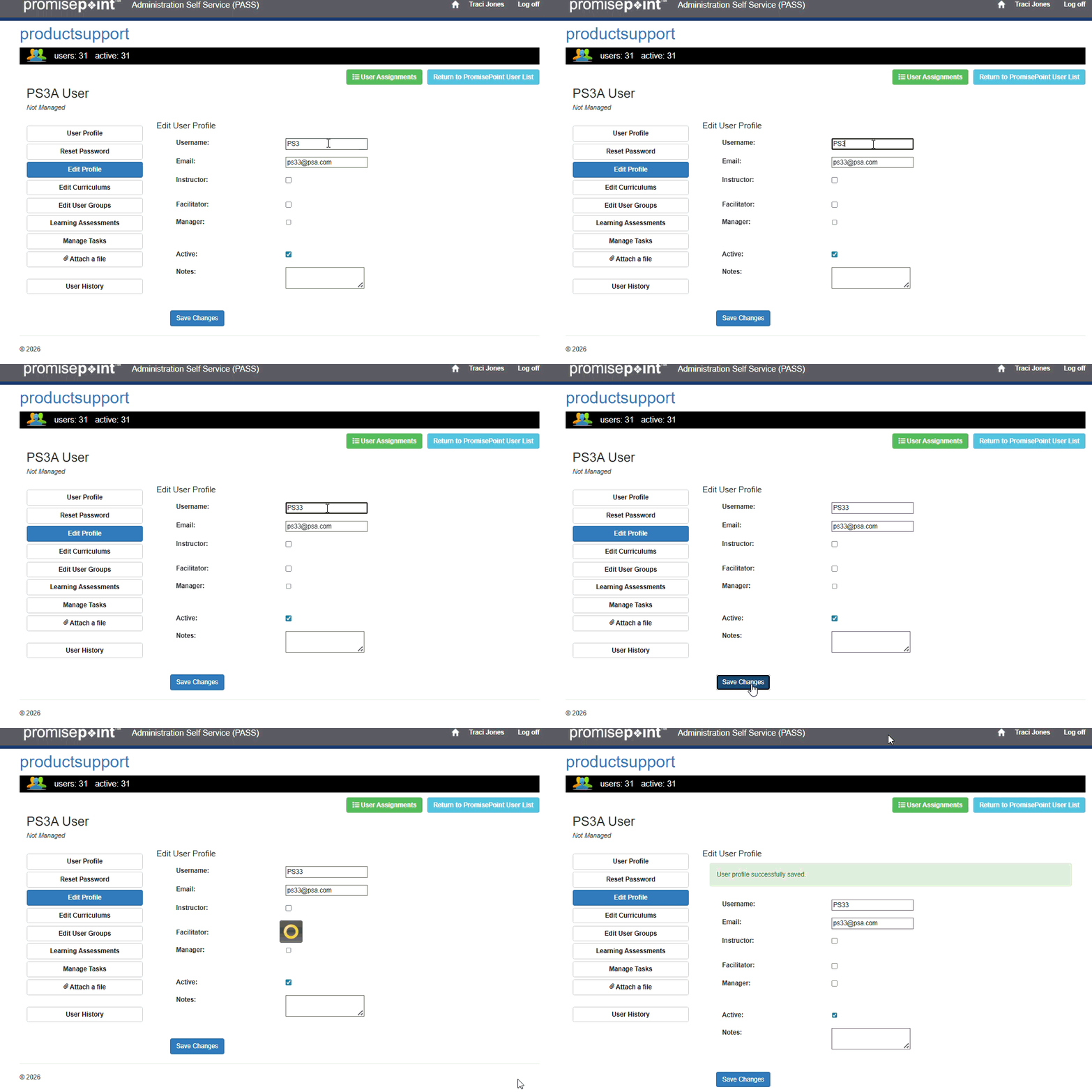
- The edit profile page will display, click on the Edit Profile option to access the Edit Profile section and in Username field, key in the updated username and click Save.
- Return to the PromisePoint User List to view the new username to make sure it successfully saved.
(To replay gif, ctrl  )
)
Additional Resources:
How to Update/Edit a Username (word doc)