


PASS user administrators with the user admin role, can update user assignments in PASS. This includes modifying courses to be completed, not started, and waived.
Learn how to update user assignments by watching the short video below, or follow the simple steps as instructed.
Video: Modify a course status (In PASS)
Follow these quick steps:
- Log into PASS.
- Click on the PromisePoint user list option.
- Find the user using the filters and/or search boxes.
- Click on the Course Assignments icon
 on the user profile.
 - Find the course to reset, in the list of assignments.
- Click the Reset Completion icon
 .
. - Click Yes when prompted
- This resets the course.
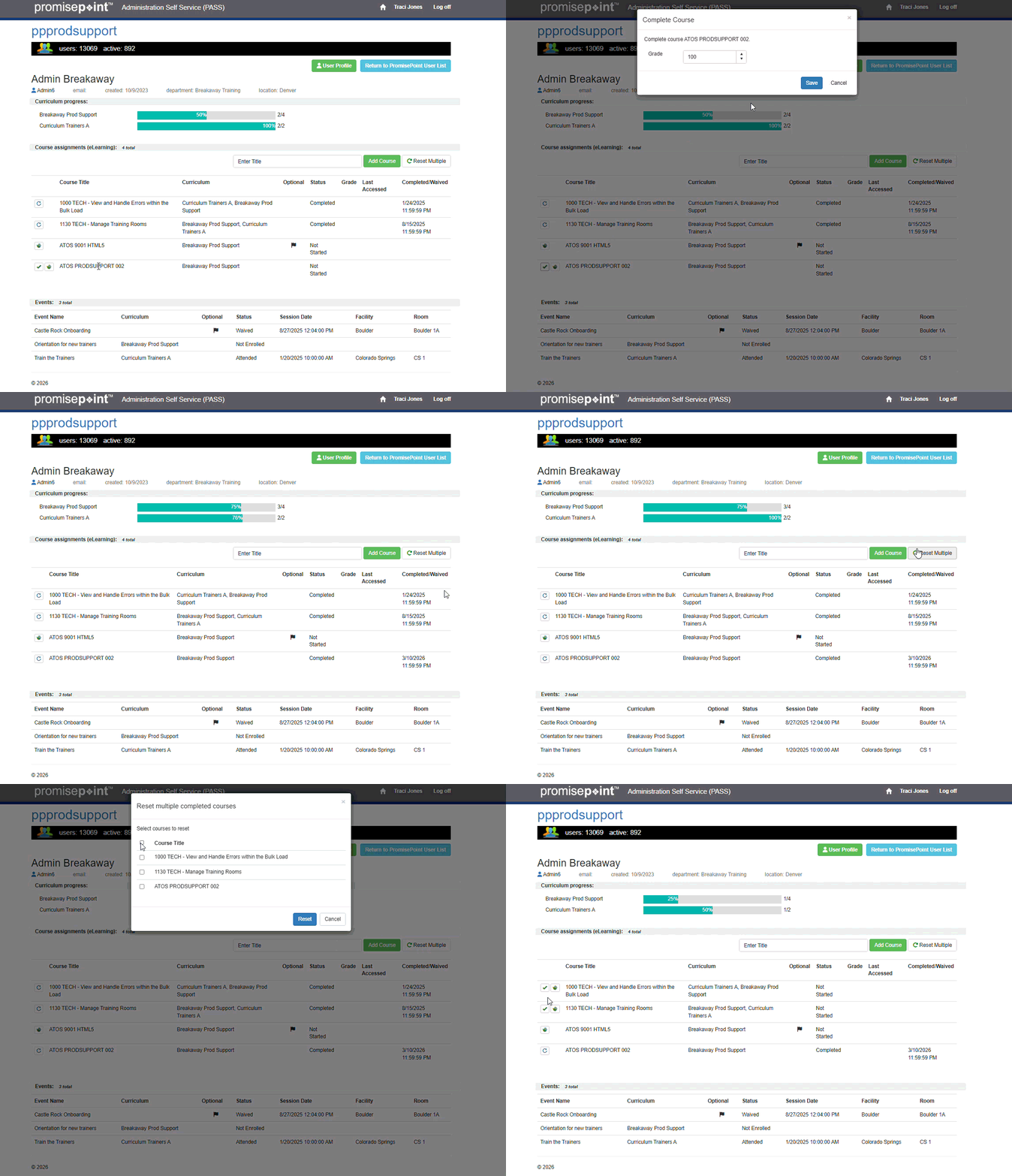
The gif below shows completing a course and reset multiple courses at once:
Additional Resources: