Learn how to manually process a bulk file in PASS, as a PASS bulk file administrator.
Video: How to Manually Process a Bulk Load File
Or follow these quick steps:
- Log into PASS
- Click Bulk loader history
- Click Process client bulk loads now.
- Then, click, Run bulk loader for this client now
- Refresh your browser until the file has finished processing
- View results, including the log for errors if necessary
Note: Once the file has been updated after troubleshooting the error, reload and launch the bulk file again.
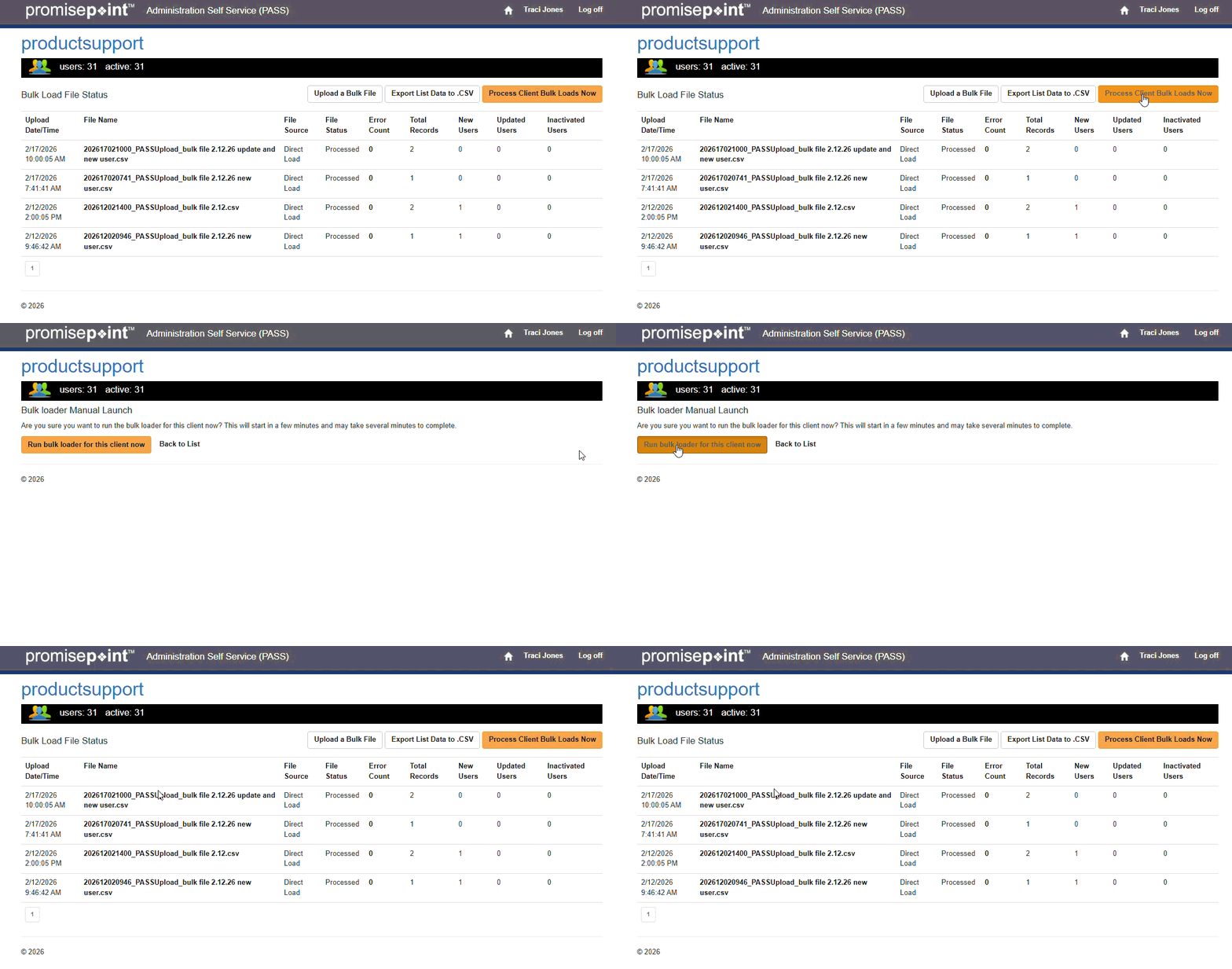
Refresh to replay gif
Additional Resources: