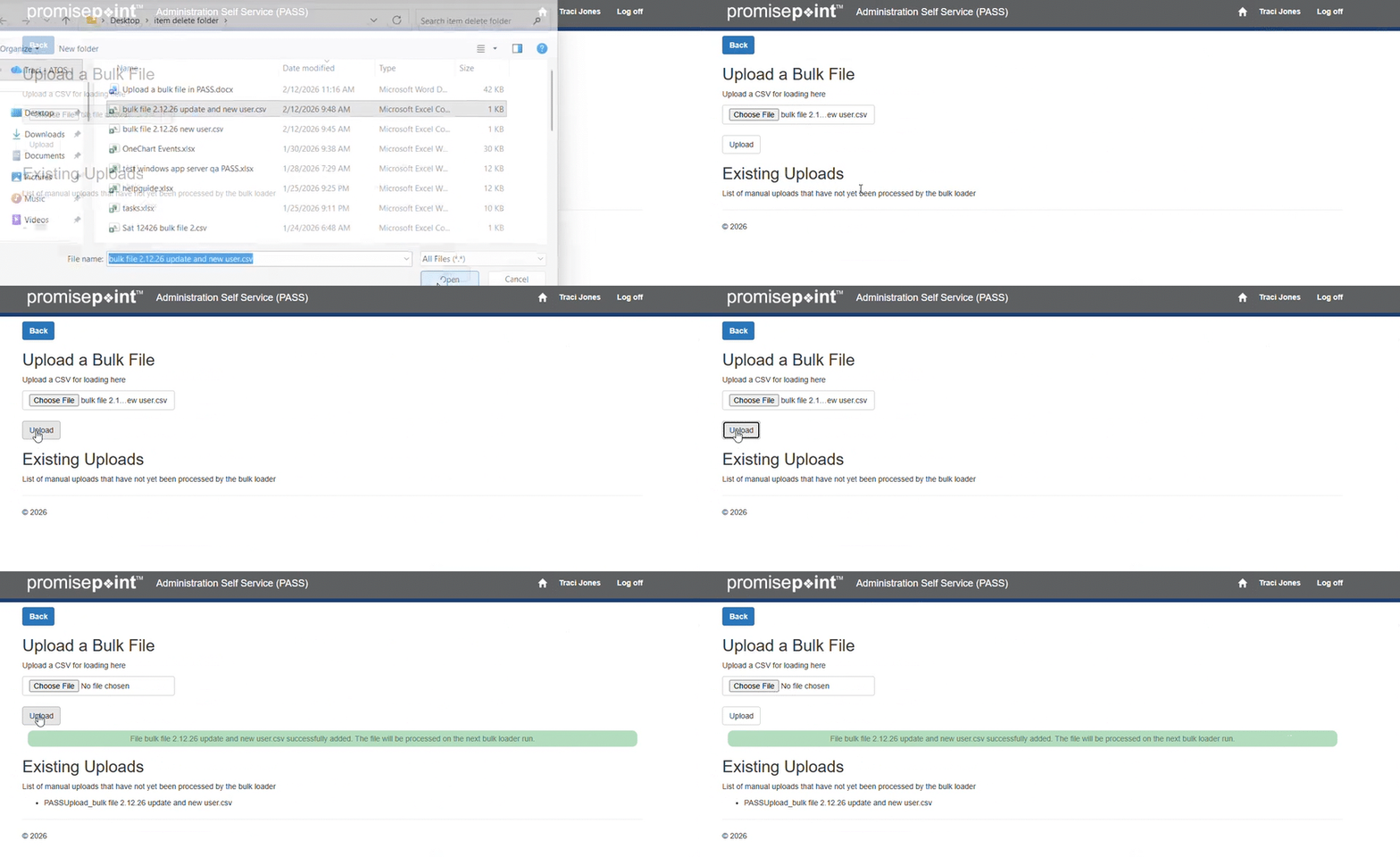
Follow these quick steps:
- Log into PASS.
- Click on the bulk loader history option.
- Click the upload a bulk file button
- Select the file to process.
- When the file is selected, click the button upload.
Note: Files automatically process at 10AM, 2PM, and midnight MT.
Additional Resources:

Upload a bulk file in PASS