A PASS administrator with a curriculum management role can map curriculums and user groups to users with the same job title combinations.
Learn how to map a curriculum by watching the short video.
Video: Map Curriculum and/or User Group
Or follow these steps:
- Log into PASS
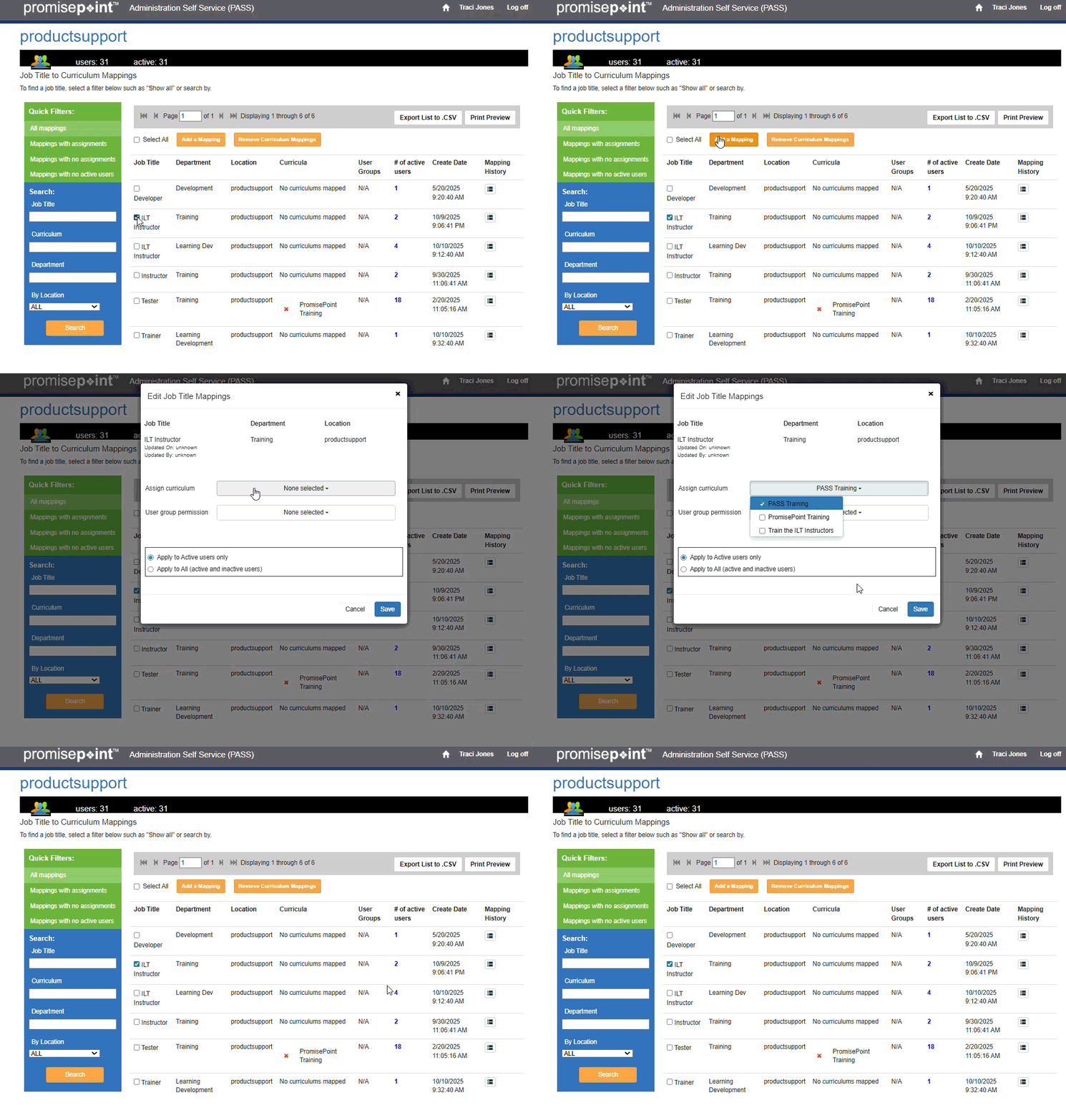
- Under Curriculum Management, click Job title to curriculum mappings. The Job Title to Curriculum Mappings screen displays.
- Select the check box of the job title combinations you want to map.
- Click Edit Selected. The Edit Job Title Mappings window displays.
- Click the Select Curriculum drop-down arrow; then select the check box of the curriculum you want to assign. Your selection highlights.
Note: You can select multiple curricula at one time.
- Click anywhere outside the menu to close it.
- To add a user group too, you can click the Select User Group drop-down arrow; then select the check box of the appropriate user group.
- Click anywhere outside the menu to close it.
Note: The system defaults to apply any changes immediately. It is recommended to maintain this option and apply the changes right away. However, if you are applying a large number of mappings, it may be better to apply those updates with your next bulk file.
- Click Save. The Job Title Curriculum Mappings screen displays.
- To confirm the curriculum is assigned, user the filters and/or search boxes to find the job title combinations you just mapped, and click Search. Your Job Title displays with the added curriculum.
Refresh to replay gif