


PASS administrators with the User Admin role can assign report admin access to a PromisePoint user in PASS.
More information about PromisePoint's Reports can be found here.
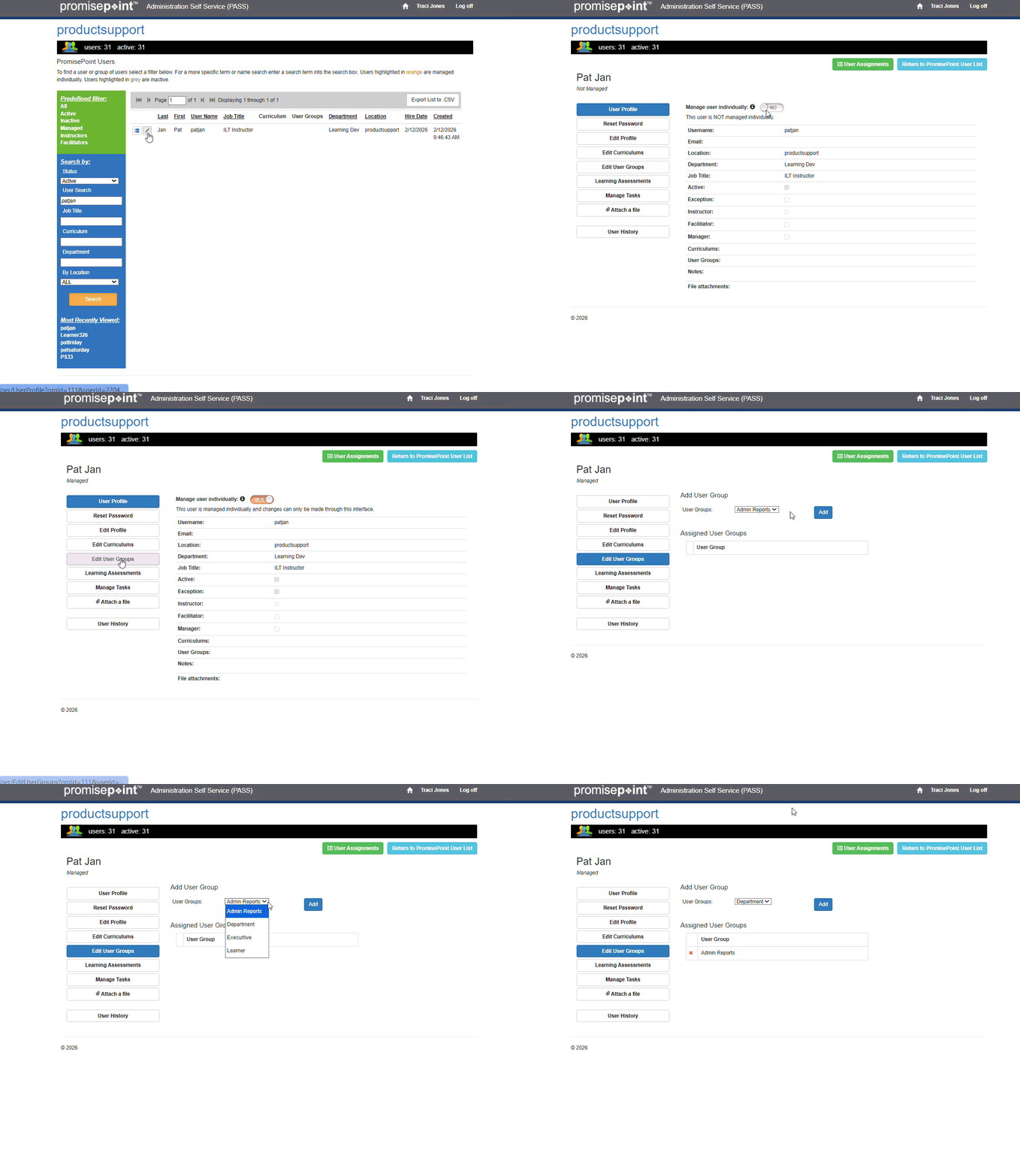
Follow the steps below to show how to add report admin access to a user in PromisePoint.
- Log into PASS at http://promisepoint.com/PASS/<your organization>.
- Select PromisePoint user list and search for a user to add report admin access to
- Search and find the user to give report admin access to
- Make sure the user is set at managed for this task
- Click on Edit User Groups
- Select the report admin level desired, and add to the user profile
NOTE: Users will need to log out of their PromisePoint community and back in to see the change in access.
Refresh to replay gif